
Download Jose Chess – chess, strategy, 3D chess, move recording, game analysis, chess practice, board game, chess game, chess app, chess utility
Overview
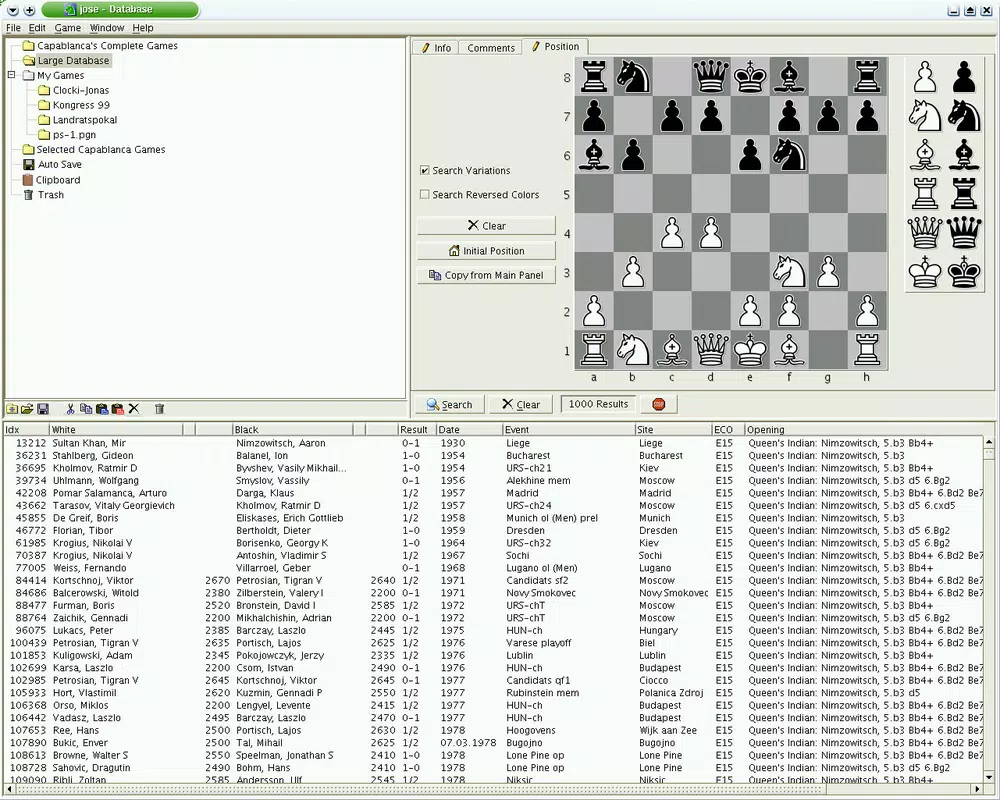
Jose Chess is a strategy-focused application designed for chess enthusiasts seeking a structured and reflective approach to gameplay. Developed by Jose Chess, the app enables users to record matches with precision, tracking every move, the duration of each turn, and completed games within a dedicated database. This functionality supports in-depth game analysis, making it a valuable tool for players aiming to refine their strategic thinking over time. The app is particularly suited for both amateur and experienced players who value learning from their gameplay patterns and experimenting with different approaches.
By simulating the experience of professional match documentation, Jose Chess introduces a level of detail not commonly found in casual chess applications. It allows users to review their decision-making process, identify recurring mistakes, and assess the effectiveness of various tactics. The application is especially beneficial for those engaged in self-guided chess improvement, offering a digital journal for match history. Although the developer did not provide additional technical details, the app’s long-standing presence in the strategy category since its release on August 29, 2007, indicates a stable and enduring design.
Jose Chess fits within the broader ecosystem of digital board games by emphasizing analytical depth over competitive speed. Its utility extends beyond entertainment, serving as a practical tool for cognitive training and strategic development. The app is accessible to users on Windows platforms and operates at a lightweight 2.5 MB, making it suitable for older or low-resource systems. The free pricing model enhances its accessibility, allowing broad adoption among learners and hobbyists alike.
Key Features & Functionality
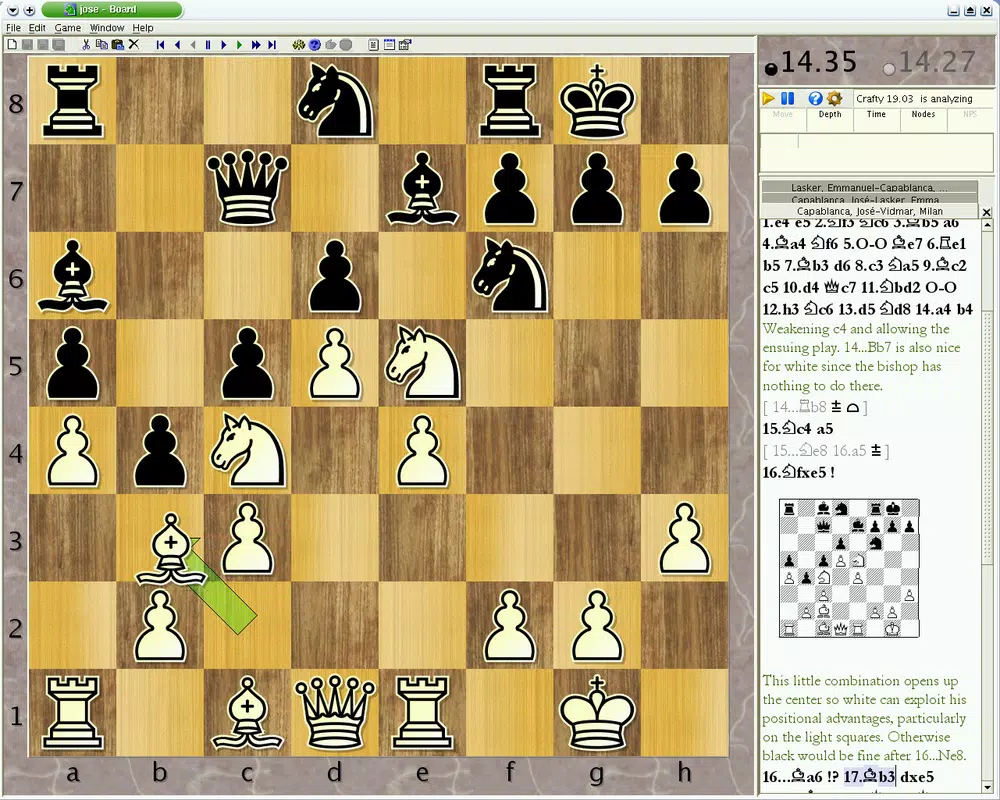
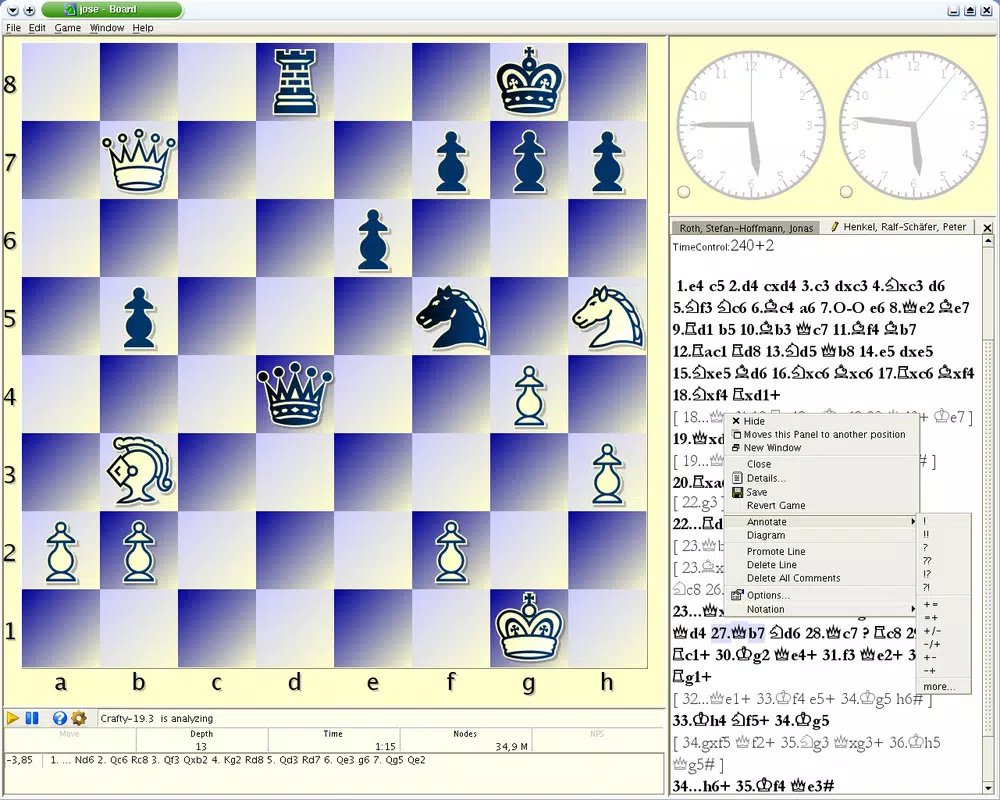
- Professional Match Recording: The app logs every move made during a game, including timestamps for each action. This allows users to reconstruct their gameplay with full historical context, essential for later review and analysis.
- Flexible Move Adjustment: Users can backtrack and modify previous moves, enabling trial-and-error learning without disrupting the flow of play. This feature supports strategic experimentation and helps players understand the consequences of alternative decisions.
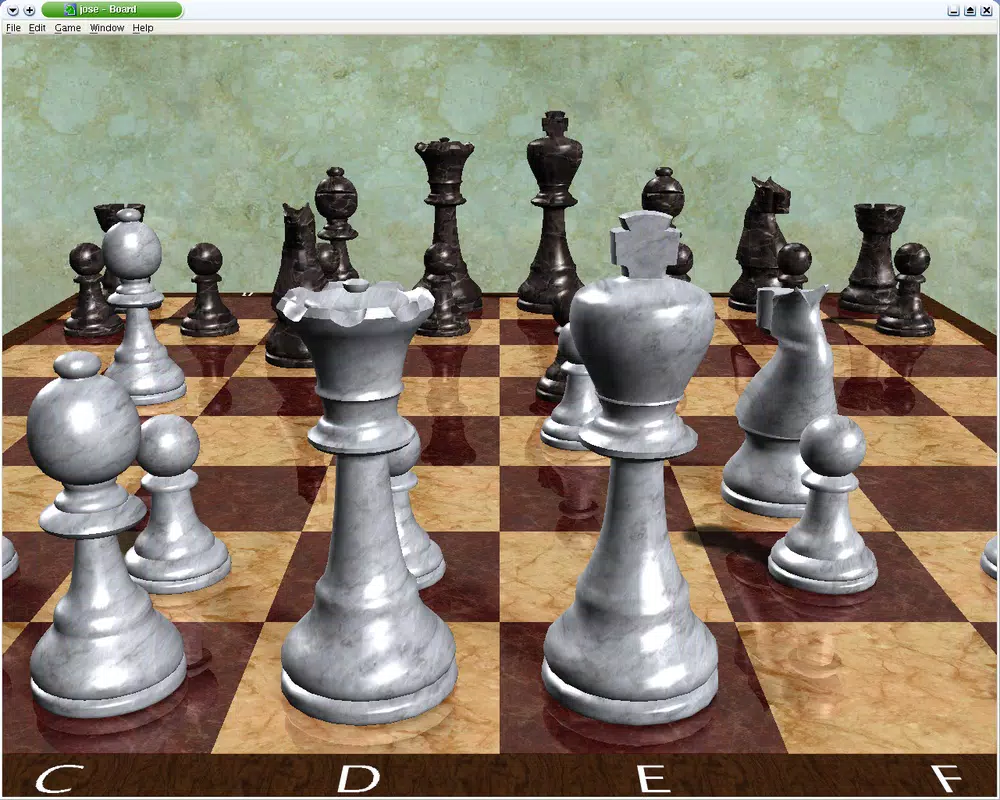
- 3D Board Experience: A visually immersive 3D representation of the chessboard enhances user engagement. The dynamic perspective offers a more intuitive way to assess spatial relationships between pieces and evaluate complex positions.
- Strategy Practice Platform: Designed for skill development, the app provides a safe environment for practicing tactics and opening sequences. It supports both solo play and self-analysis, helping users build confidence and strategic foresight.
- Java Runtime Requirement: The application requires the installation of Java Runtime to function. This dependency ensures compatibility with legacy systems and maintains performance consistency across supported devices.
For example, a beginner might use the move recording feature to revisit a game and identify a missed checkmate opportunity. An advanced player could analyze time spent on each move to detect hesitation patterns. The 3D board view can assist in visualizing complex endgames, while the ability to adjust moves allows for rapid hypothesis testing during practice sessions. These features collectively support a deeper understanding of chess mechanics and long-term skill growth.
Interface, UX & Performance
Jose Chess features a clean, functional interface focused on core gameplay without unnecessary distractions. The layout prioritizes the chessboard, with controls and menus positioned for intuitive access. Navigation is straightforward, relying on standard click-and-move mechanics familiar to most chess players. Although the developer did not list formal performance metrics, the app’s lightweight size of 2.5 MB suggests efficient resource usage, which likely contributes to smooth operation on older or low-memory systems.
The visual style is minimalistic, with a focus on clarity and usability. The 3D board rendering appears optimized for performance, maintaining responsiveness even during complex game states. Users can rotate and zoom the board for better perspective, enhancing spatial awareness. While no information was provided about touch support or adaptive layouts, the app appears designed primarily for mouse-based interaction on desktop environments.
Although the developer did not specify minimum OS requirements, the app’s release date in 2007 and continued availability suggest compatibility with a wide range of Windows operating systems. Stability appears to be a consistent trait, given the app’s longevity. However, users should be aware that the reliance on Java Runtime may impact initial setup, especially on systems with outdated or unconfigured Java environments.
Platform Compatibility & Technical Requirements
Jose Chess is designed for the Windows platform and is available in version 1.1.1. The application has a file size of 2.5 MB, indicating a lightweight footprint suitable for systems with limited storage or older hardware. The developer did not specify minimum OS requirements or compatibility details beyond the platform name.
Given the app’s release date of August 29, 2007, it is likely compatible with Windows XP and later versions, though this is not confirmed. Users should ensure that Java Runtime is installed on their system, as it is a mandatory dependency for the application to launch. The lack of detailed technical specifications means that compatibility with newer Windows versions or modern hardware configurations cannot be guaranteed without further testing.
Since no information was provided about mobile or web availability, the app is assumed to be desktop-only. The absence of a dedicated app store listing or official distribution channel suggests it may be distributed through third-party archives or developer websites. Users should exercise caution when downloading from unofficial sources to ensure the file’s integrity and security.
Pros and Cons
- Free to download and use
- Supports detailed move and time recording
- Offers a 3D board view for enhanced visualization
- Allows users to backtrack and edit previous moves
- Lightweight file size (2.5 MB)
- Designed for strategic analysis and skill development
- Requires Java Runtime to run
- No official support for mobile or web platforms
- Outdated release date raises compatibility concerns
- Developer did not provide detailed technical requirements
- Interface may feel dated compared to modern applications
- Limited information on update frequency or maintenance
FAQ
Is Jose Chess available for Android or iOS?
The developer did not provide information on mobile availability. Based on current data, Jose Chess is designed for Windows and is not confirmed to run on Android or iOS devices.
Do I need to install Java to use Jose Chess?
Yes, the application requires Java Runtime to be installed on your system. This dependency is essential for the app to launch and function properly.
Can I use Jose Chess for tournament preparation?
While the app is not designed for official tournament use, its move recording and analysis features can support practice and self-assessment, making it a useful tool for improving strategy and decision-making.
Is Jose Chess safe to download?
Jose Chess is free and available through various software archives. Users should download from trusted sources to ensure the file is secure and free from malware.
How often is Jose Chess updated?
The developer did not disclose update frequency. The last version, 1.1.1, was released in 2007, suggesting minimal or no recent updates.
Final Thoughts
Jose Chess remains a niche yet functional tool for chess players interested in detailed game analysis and strategic refinement. Its ability to record moves with timestamps, allow move corrections, and display a 3D board offers a unique combination of utility and visual appeal. While the app’s age and reliance on Java Runtime may present challenges for modern users, its lightweight design and free access make it a viable option for those seeking a simple, focused chess experience.
It is best suited for individuals who value self-paced learning, historical review, and tactical experimentation. Whether you're a beginner building foundational skills or an enthusiast exploring advanced strategies, Jose Chess provides a structured environment to grow. Despite its outdated interface and limited support, the app delivers consistent value in the realm of digital chess utilities.
Download Jose Chess now


